Add terms and a privacy policy
You add your terms and privacy policy as legal documents. Published documents appear as links in the footer of your website.
How to do it
-
Tap Settings (the gear) at the bottom of the left-hand menu.

-
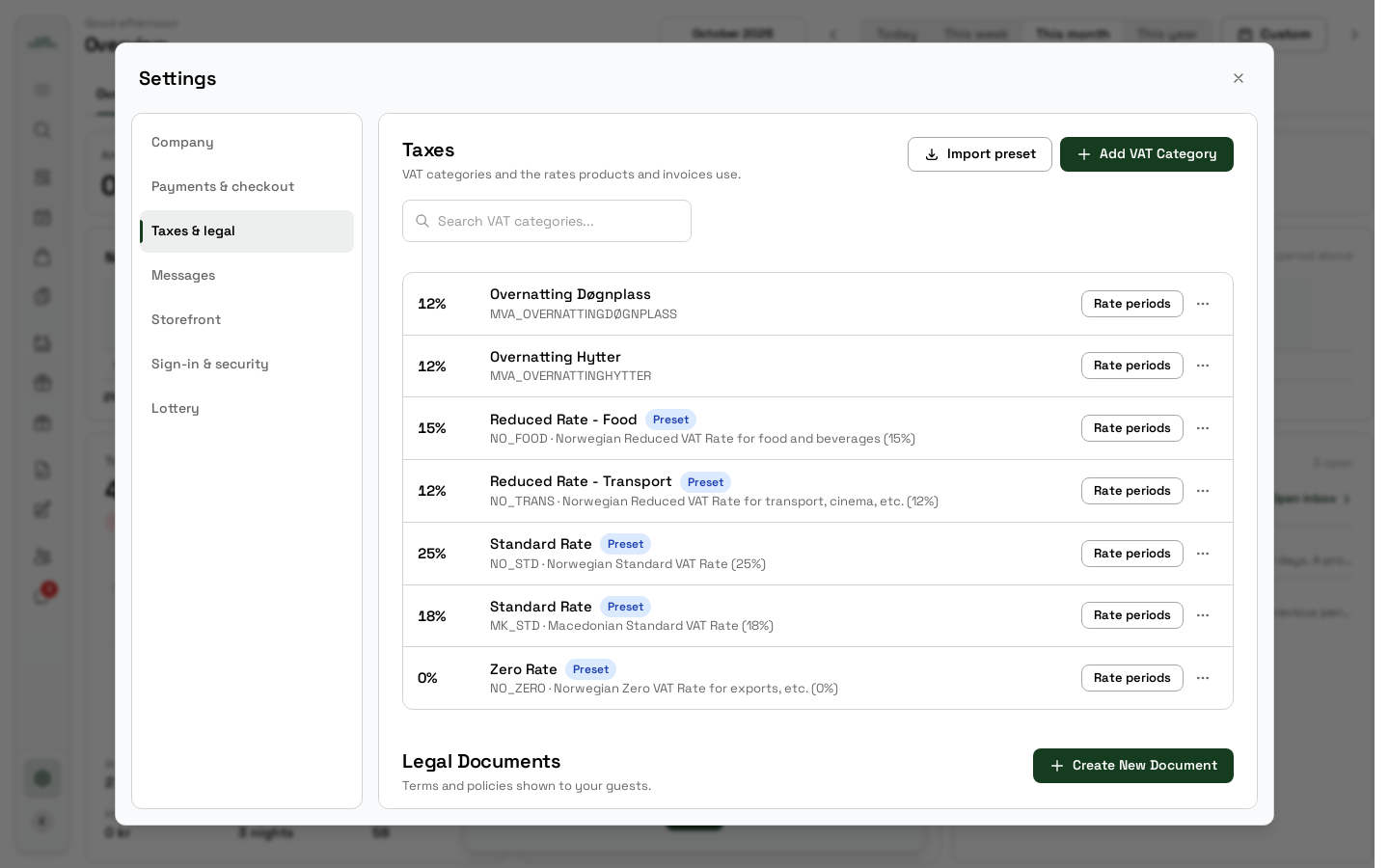
Choose Taxes & legal and scroll down to Legal Documents.
-
Tap Create New Document.
-
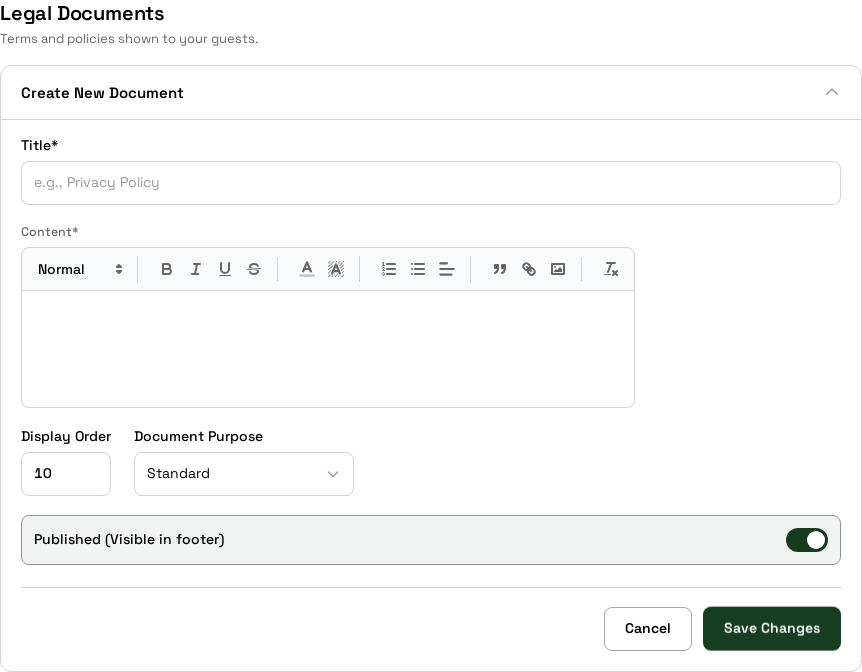
Enter the Title and the text itself under Content.
-
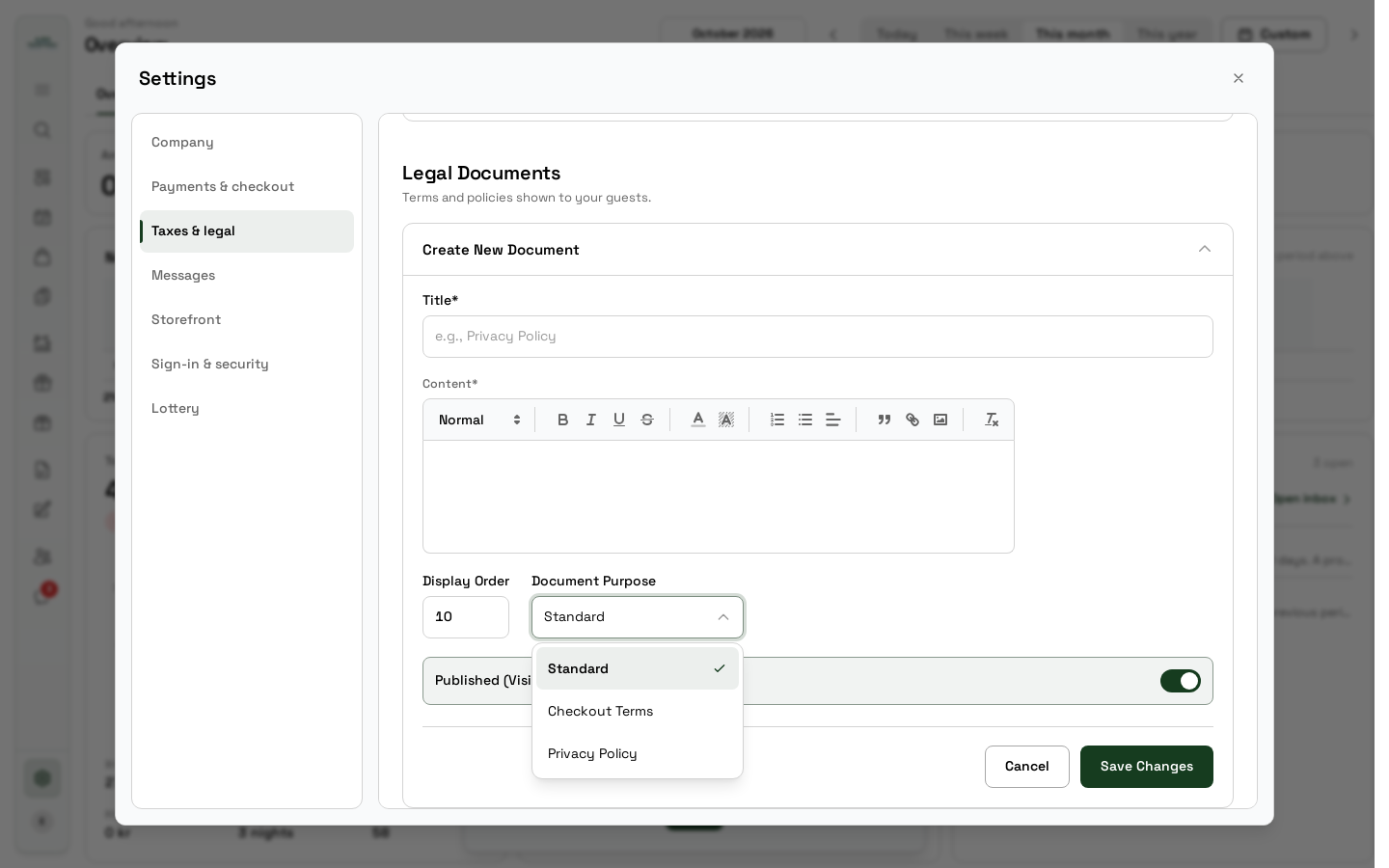
Choose the Document Purpose: Standard, Checkout Terms or Privacy Policy.
-
Display Order sets the order of the links.
- Leave Published (Visible in footer) on if guests should see the document.
- Tap Save Changes.
Edit or delete a document
Tap the document in the list to open it. Make your changes and tap Save Changes. The button to delete it is at the bottom of the same form.
Good to know
- The list shows whether each document is published or a draft, so you can see what guests can see.