Report accommodation statistics to Statistics Norway (SSB)
Bokable can send the monthly accommodation statistics to Statistics Norway (SSB) for you through Altinn. You connect once, and the report can then be sent automatically every month.
Before you start
You need access to Maskinporten from the Norwegian Digitalisation Agency (Digdir) for your company. From there you get a client ID and a private key. You also need the SSB ID of your reporting unit.
How to do it
-
Tap Settings (the gear) at the bottom of the left-hand menu.

-
Choose Taxes & legal and scroll down to Government reporting.
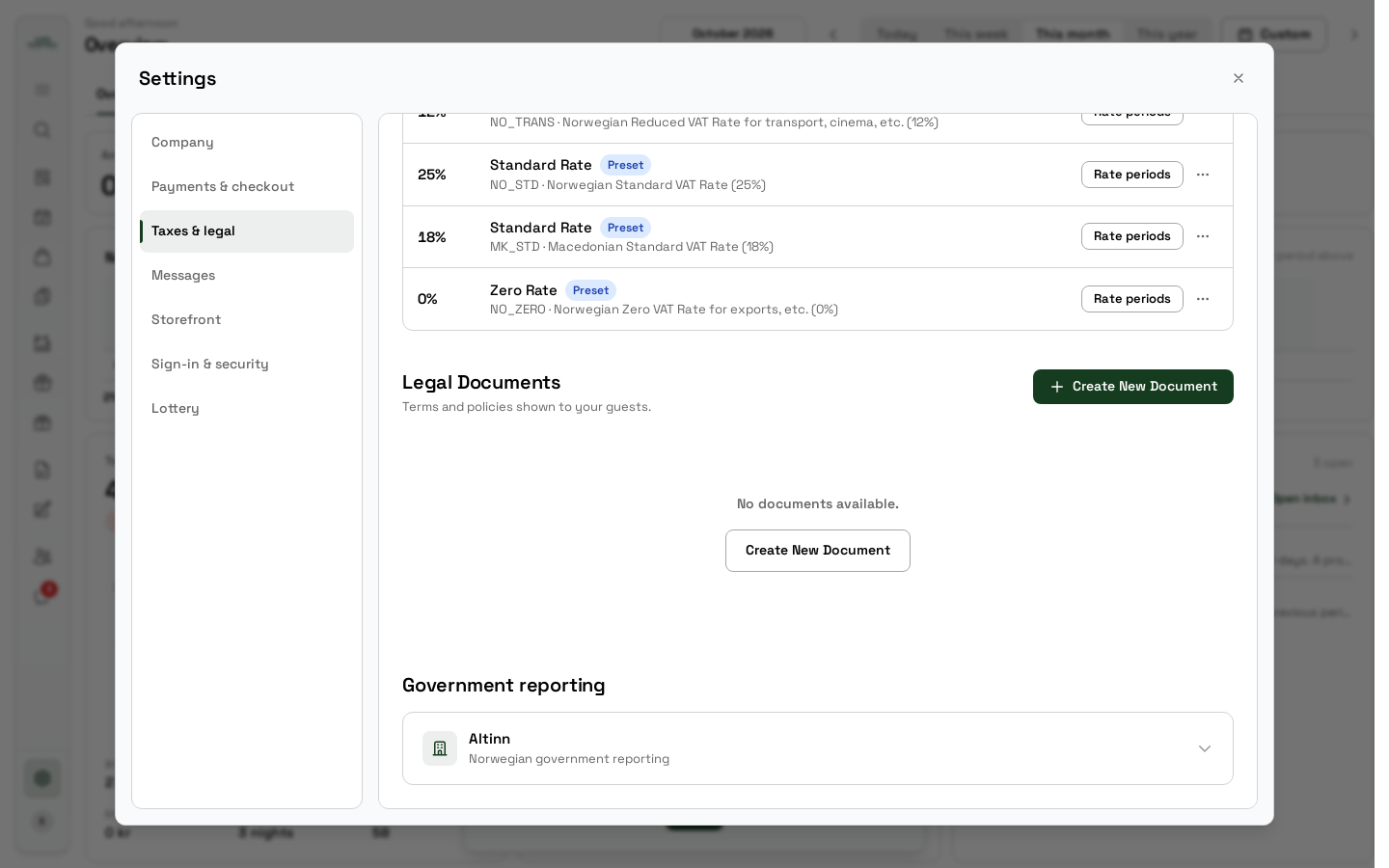
-
Open Altinn and tap Add Altinn Integration.

-
Switch on the integration and choose the environment.
- Under Maskinporten Credentials, fill in the client ID, organisation number, scope and the private key (in JWK format).
- Tap Test Connection before you continue.
- Under services, switch on SSB statistics and fill in the ID of your reporting unit.
- Tick Auto-submit monthly if the report should be sent automatically.
- Tap Save Changes.
Good to know
- SSB requires separate reports per form type. The form type is set on each unit category, not here.
- Before you send, you can preview the report for a month and download it as Excel. The preview shows guest nights, arrivals, occupancy and the split by country, among other things.