Let AI reply to guests in the chat
This feature must be turned on for your account.
Bokable can reply to guests in the chat automatically with Google AI. You switch it on for the whole company, and can switch it off for single conversations.
AI replies must be switched on for your account.
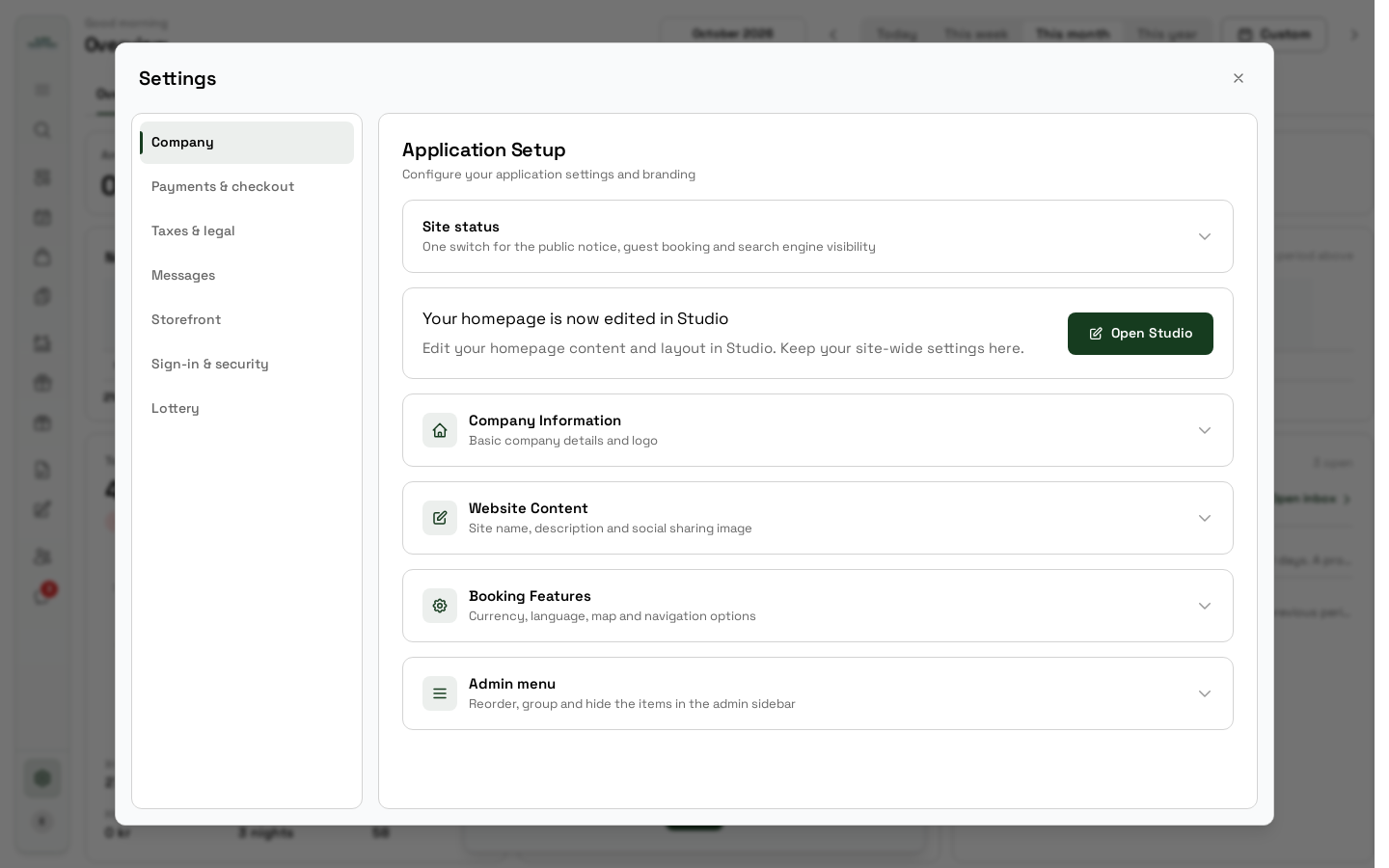
Switch on AI replies for the whole company
- Choose Settings at the bottom of the menu on the left.
-
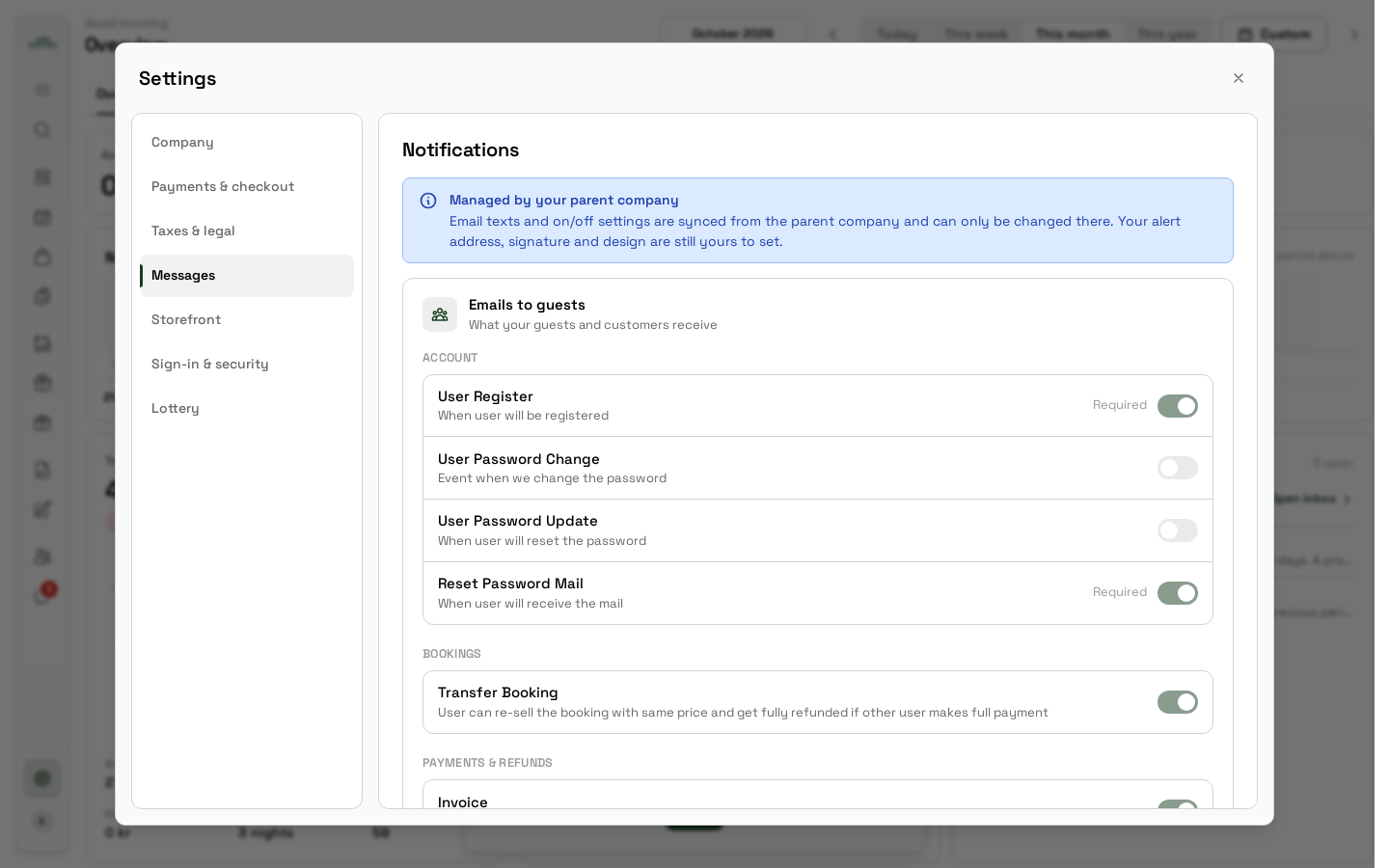
Choose Messages.
-
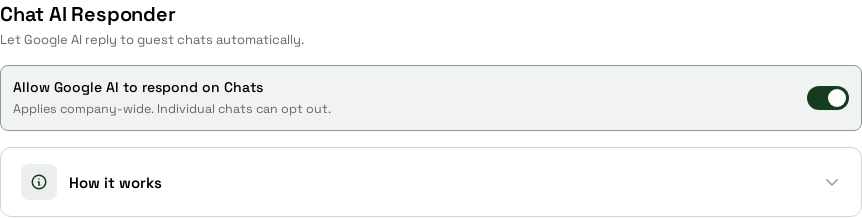
Choose the Chat AI tab. The page is called Chat AI Responder.
-
Switch on Allow Google AI to respond on Chats.

-
Tap Save changes in the bar at the bottom.

Switch AI off or on in one conversation
-
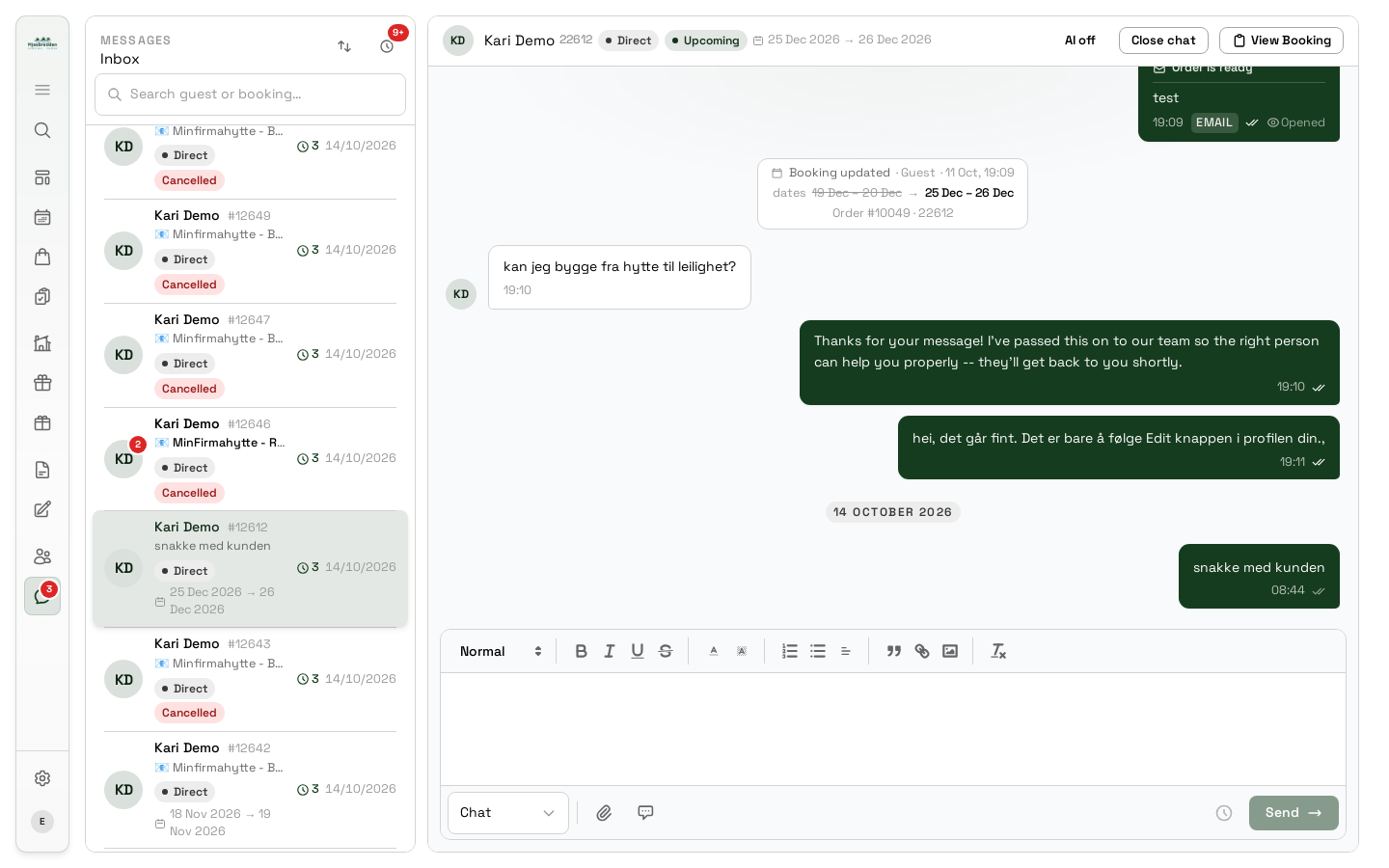
Open the conversation under Messages.
-
Tap AI off or AI on at the top of the conversation. The button shows what applies to this conversation right now.

Good to know
- Questions about refunds, legal matters and complaints are always passed on to a person.
- After 10 AI replies in a row, the AI stops and waits until one of you has replied.