Customise the left-hand menu
You can set the order of the left-hand menu in the admin, move items between groups and hide what you don't use. The change applies to everyone who logs in to the admin for your company.
How to do it
-
Tap Settings (the gear) at the bottom of the left-hand menu.

-
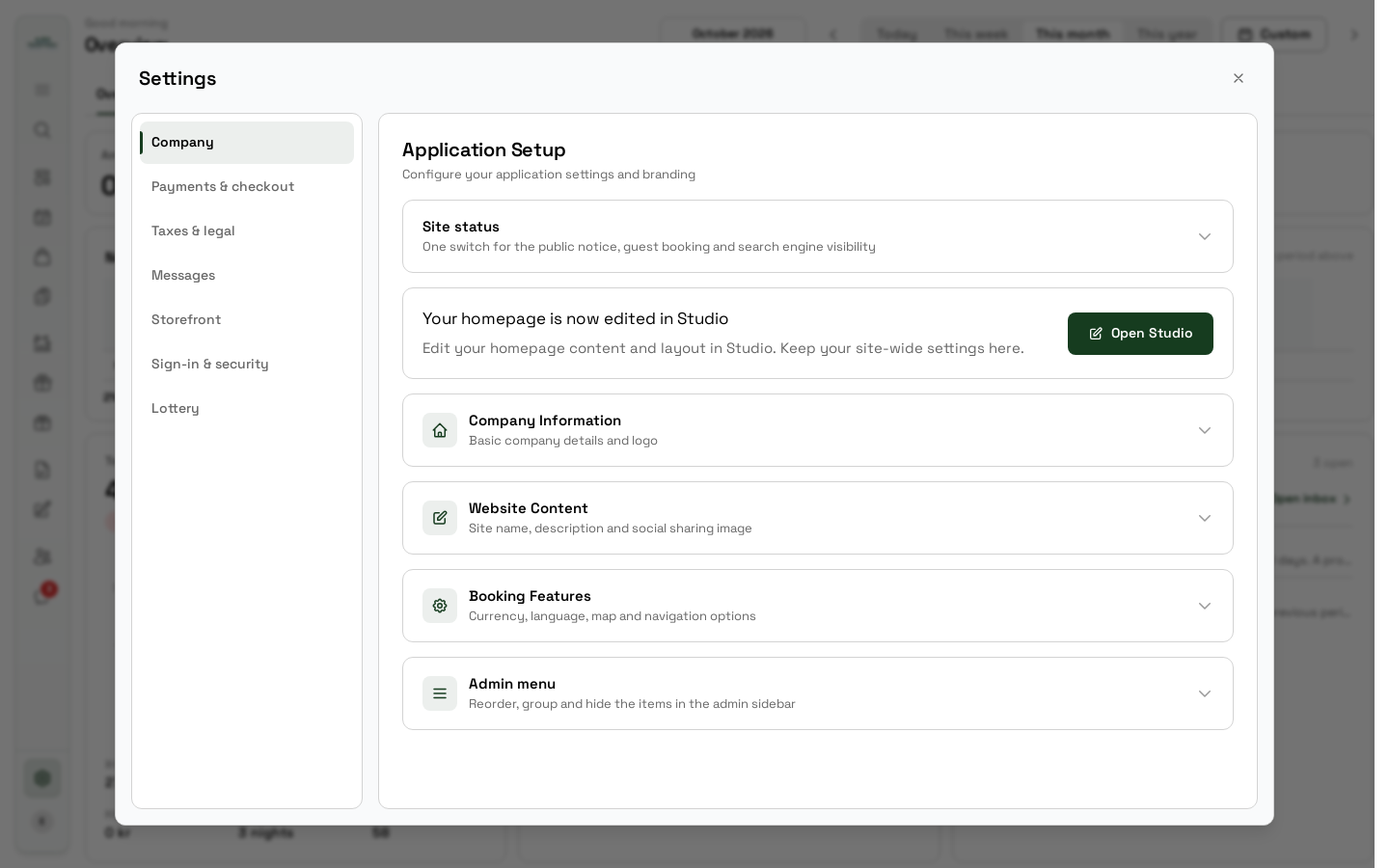
Choose Company and open Admin menu at the bottom.
-
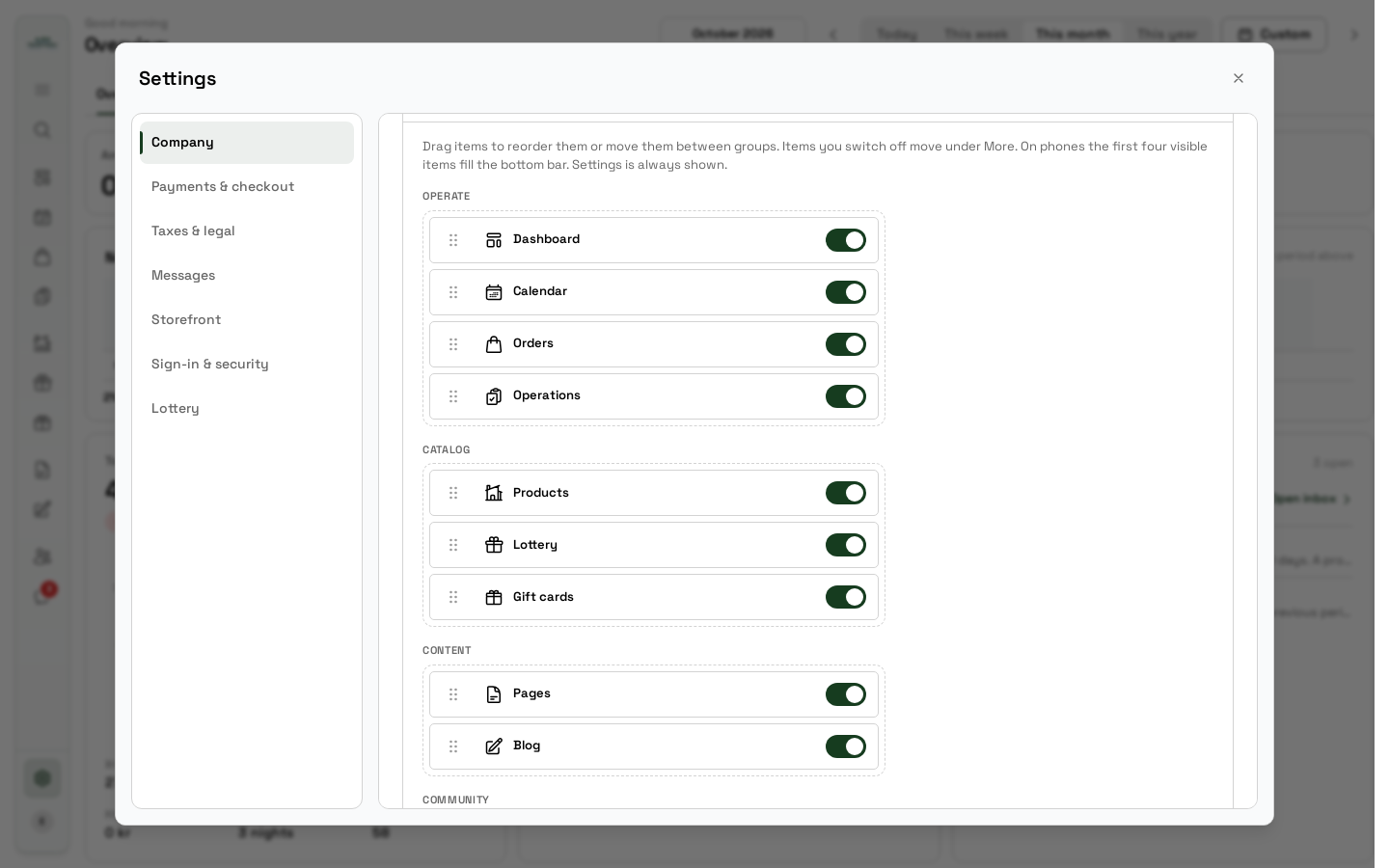
Drag an item by the handle on the left to change the order or move it to another group.
-
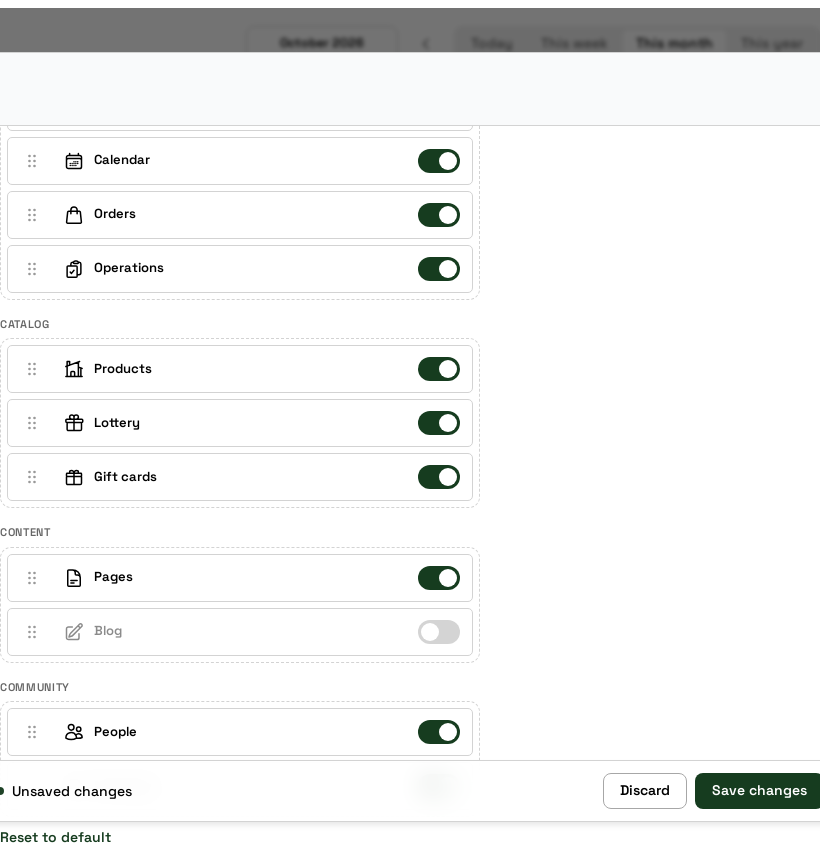
Switch off the items you want to hide. They move under More in the menu.
-
Tap Save changes at the bottom.

Good to know
- Settings is always shown and cannot be hidden.
- On phones, the first four visible items fill the bottom bar.
- Features that are not switched on for your account are shown locked in the list. You can move them, but you can't switch them on here.
- When new features arrive in Bokable, they appear at the bottom of their group, even if you have saved your own order.
- Reset to default puts the menu back the way it was at the start.