Give others access to the admin
Under Personnel you see who the administrators of your company are, and you can add or remove others. Administrators can sign in to the admin panel and change every setting.
Add an administrator
- Tap Settings (the gear) at the bottom of the left-hand menu.
-
Choose Personnel.
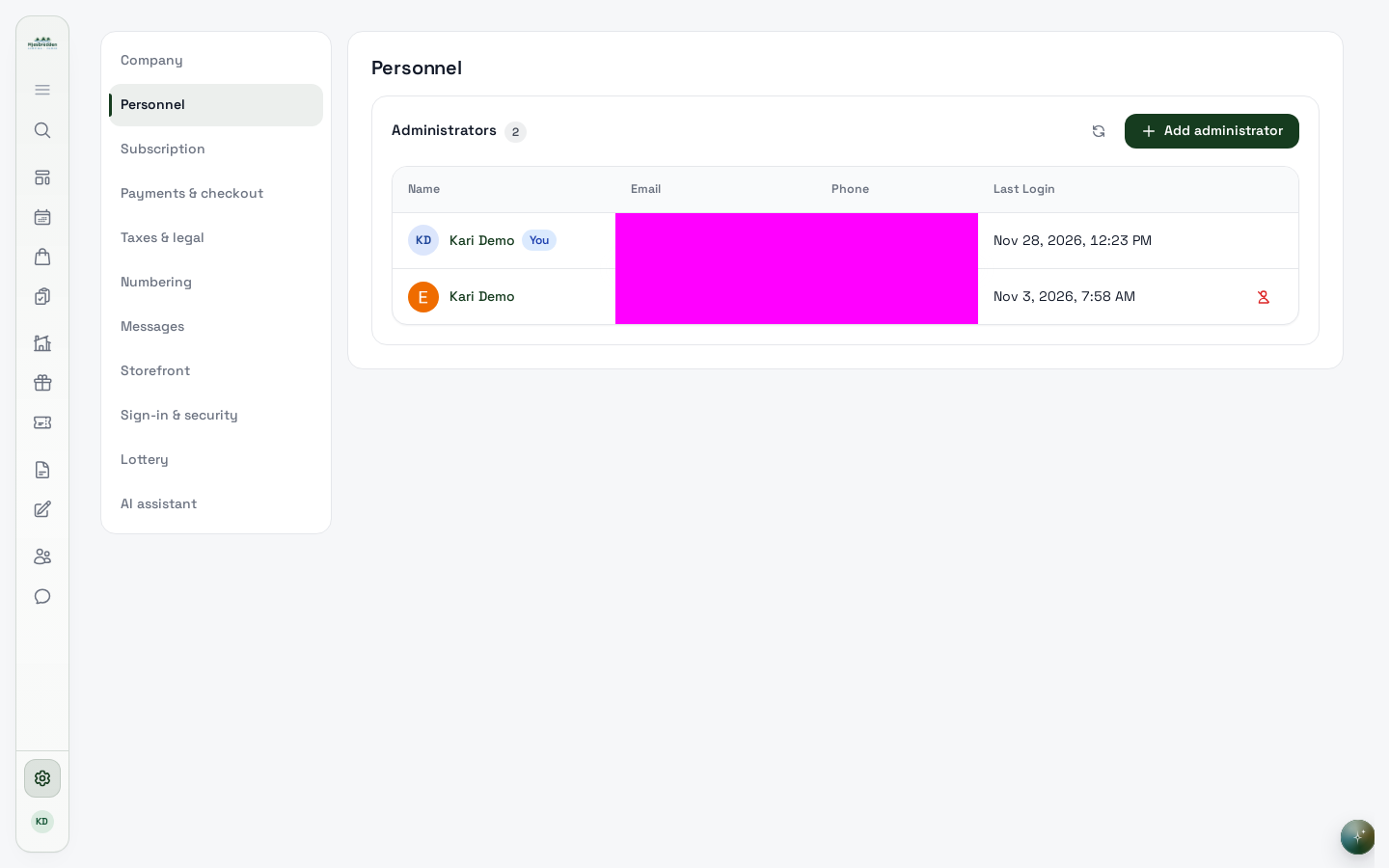 3. Tap Add administrator.
4. Enter the email address. You only need a name and phone number when the person has no account yet.
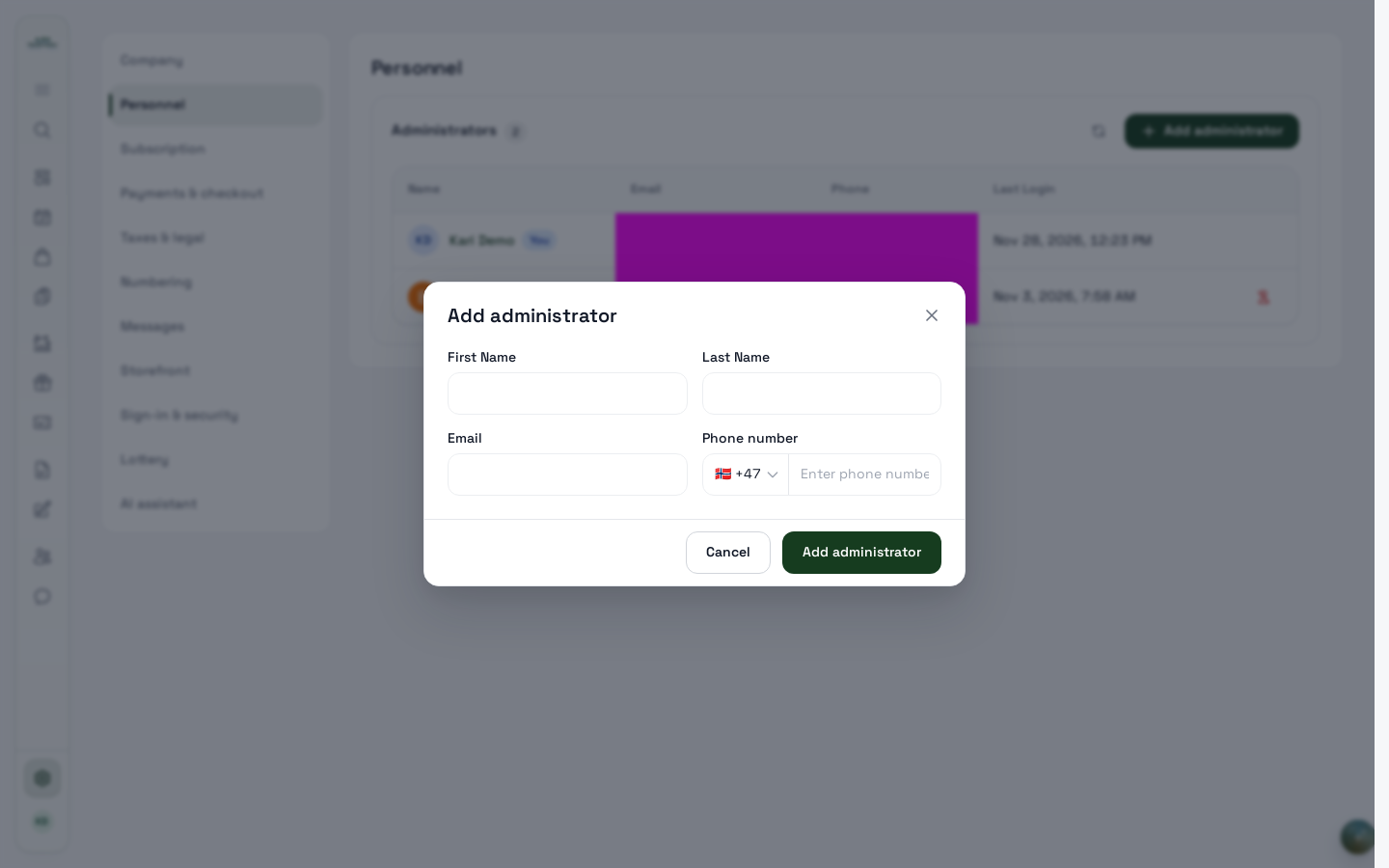 5. Tap Add administrator. People who already have an account become administrators right away. New people get an email to choose a password.
Remove an administrator
Tap the red icon (Remove administrator) next to the person in the list, and confirm. The person keeps their account and bookings, but loses access to the admin panel and is signed out. You can remove other administrators, but not yourself.
Good to know
- The list shows name, email, phone and when the person last signed in.