Write a blog post
With the blog you can share news, tips and offers on your website. A new post stays a draft until you choose to publish it.
How to do it
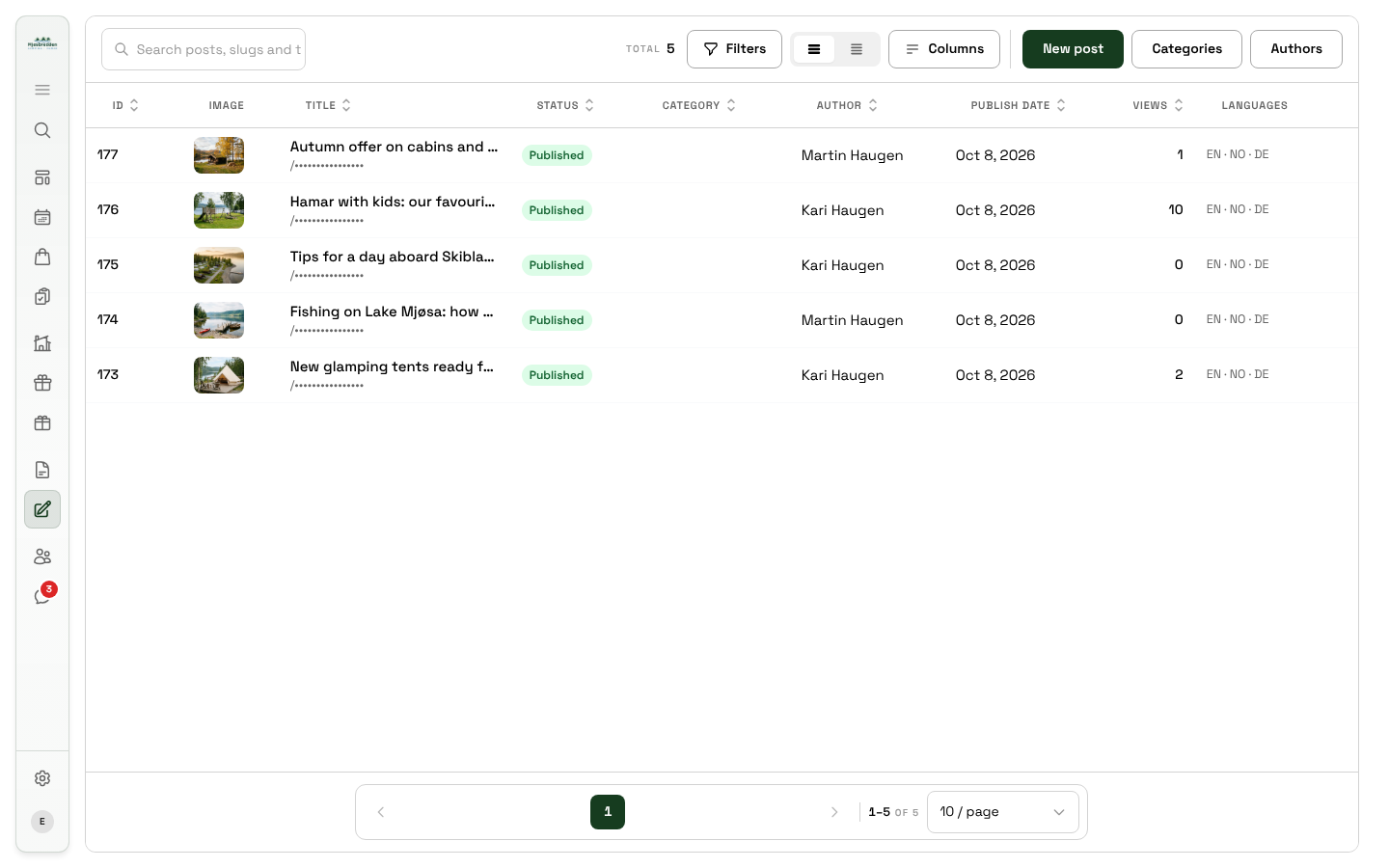
- Choose Blog in the menu on the left. Here you see all posts with their status, author and number of views.
-
Tap New post.

-
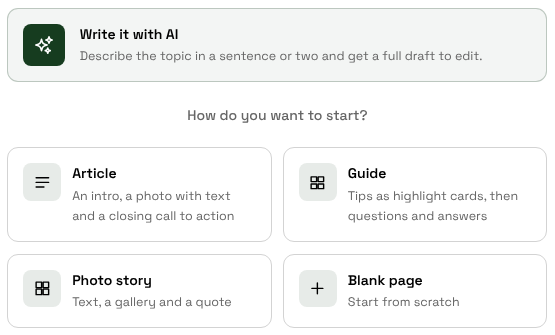
Pick how you want to start: Article, Guide, Photo story or Blank page. You can also tap Write it with AI and describe the topic in a sentence or two to get a draft you can edit.
-
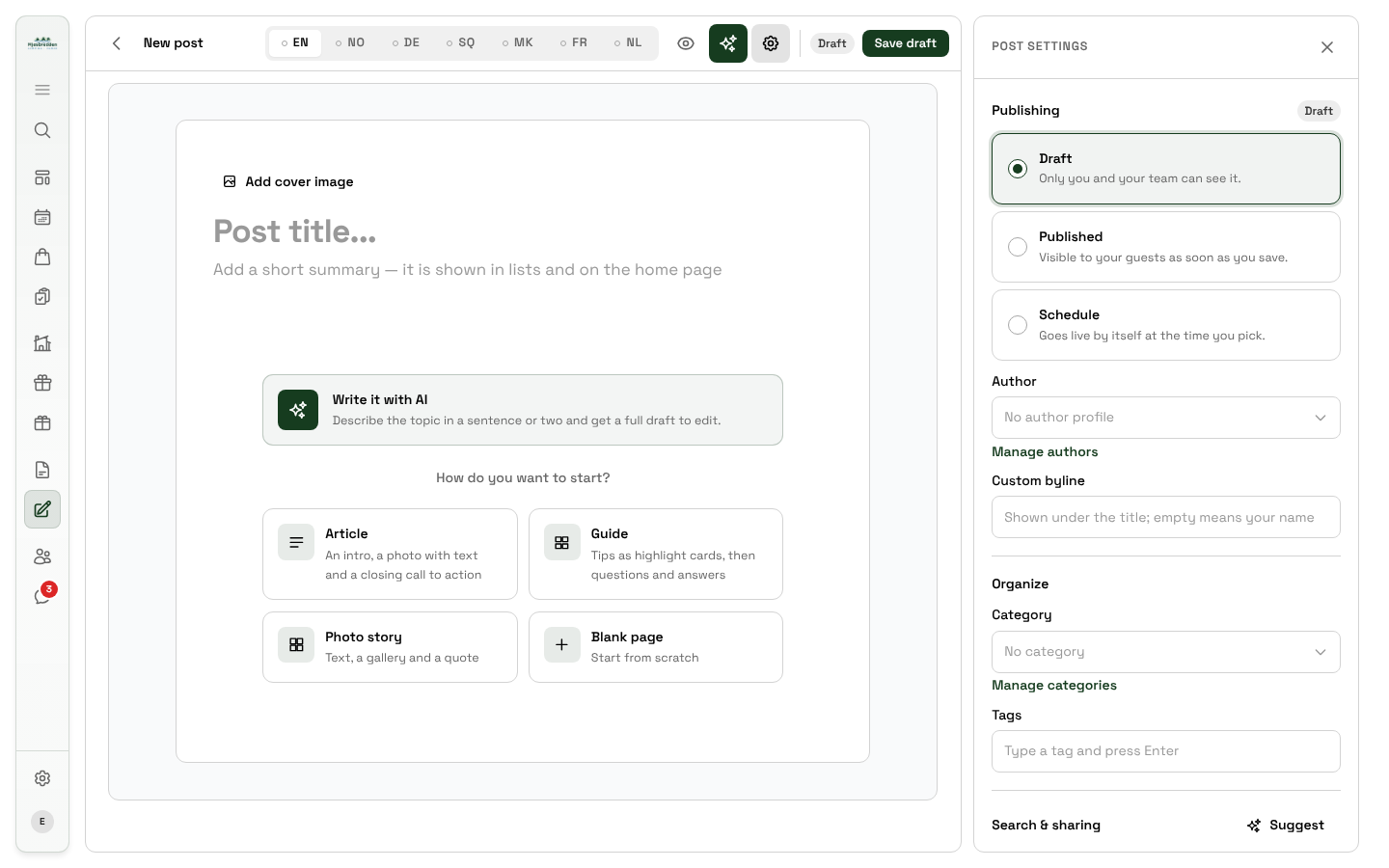
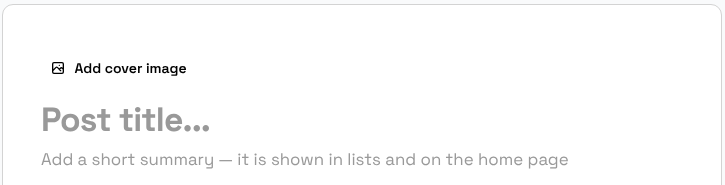
Write a title and a short summary. The summary is shown in lists and on the home page. Tap Add cover image to pick a picture.
-
Pick a language in the tabs at the top (for example EN or NO) to write the post in more languages. The default language comes first, marked with a star.

-
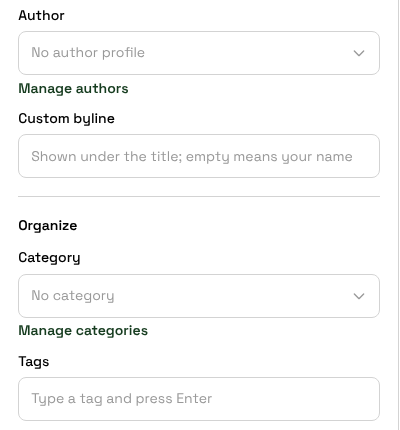
Under Post settings on the right, choose the author, category and tags.
-
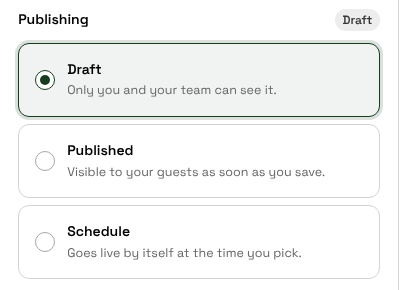
Under Publishing, choose how the post goes out:
- Draft: only you and your team can see it.
- Published: visible to your guests as soon as you save.
- Schedule: goes live by itself at the time you pick.
-
Save with the button at the top right. While the post is a draft, it says Save draft. You can also save with Ctrl+S.
Good to know
- You add authors and categories with Authors and Categories at the top of the blog overview, or with Manage authors and Manage categories in the post settings.
- The Custom byline field is shown under the title. If you leave it empty, your name is used.