Sell gift cards on your website
This feature must be turned on for your account.
Guests can buy gift cards directly on your website. They choose an amount, write a message and pay, and the gift card is sent by email.
The feature must be switched on for your account.
What you need first
To sell gift cards online you need Stripe or Vipps connected, and email delivery must be set up. You also need to fill in the amounts, a validity period and gift card terms.
How to switch it on
-
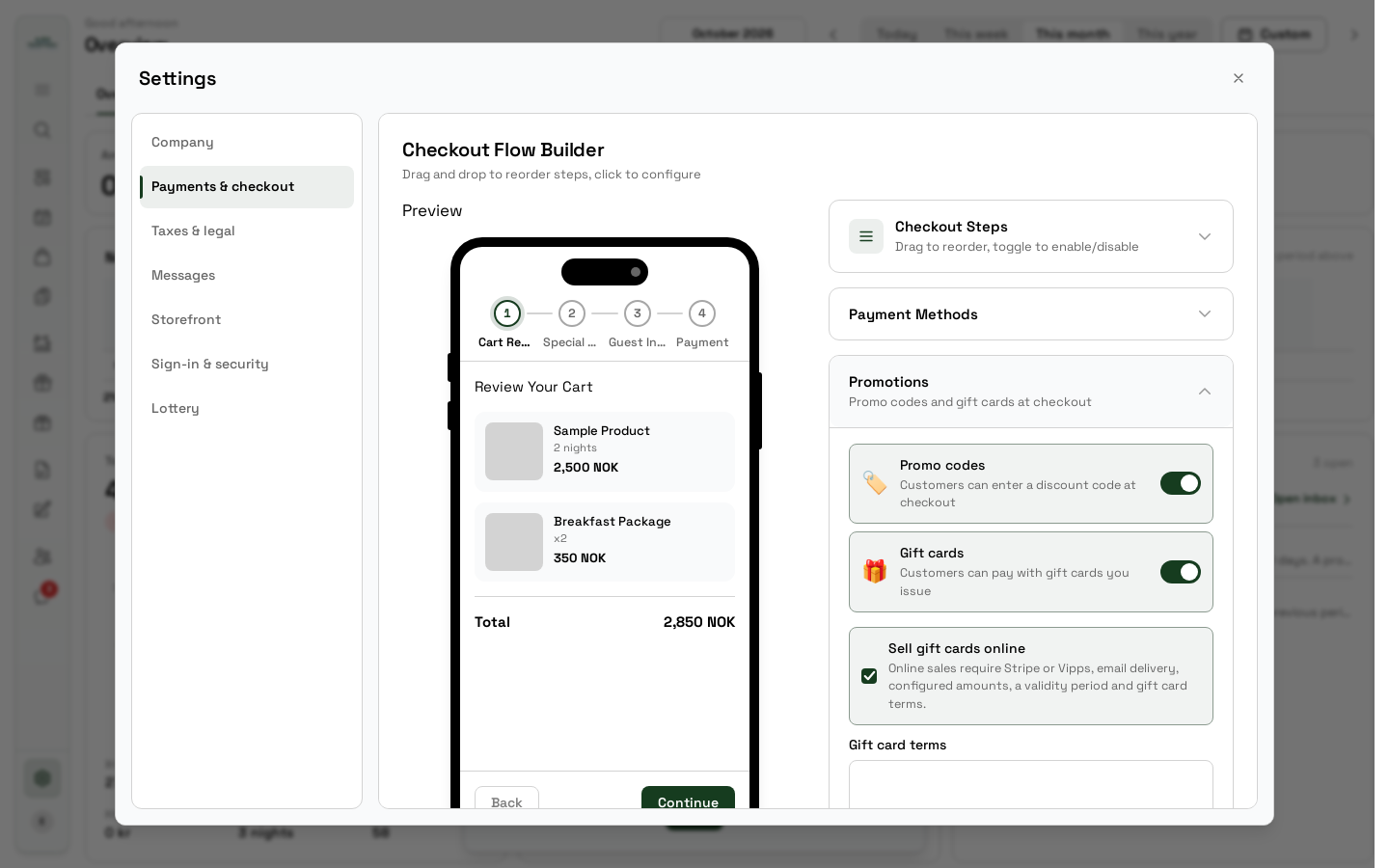
Choose Settings at the bottom of the menu on the left, then Payments & checkout, and open Promotions.
-
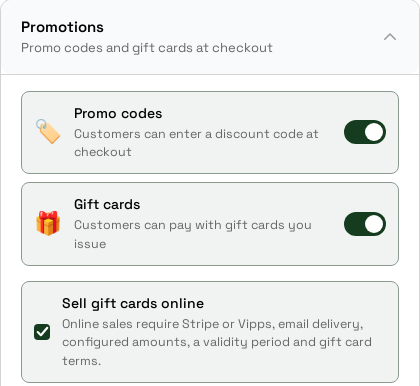
Check that Gift cards is switched on, and tick Sell gift cards online.
-
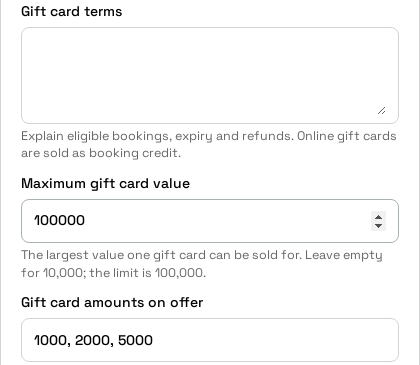
Fill in Gift card terms: which bookings the card covers, expiry and refunds. Set the Maximum gift card value (if the field is empty, the limit is 10,000) and the Gift card amounts on offer, which are the amounts guests can choose from.
-
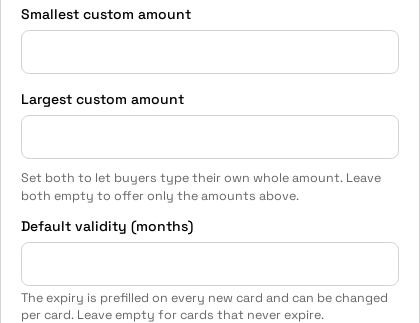
If guests should be able to type their own amount, fill in both Smallest custom amount and Largest custom amount. Under Default validity (months), set how long a new card lasts. Leave the field empty for cards that never expire.
-
Click Save changes at the bottom.

What the guest sees
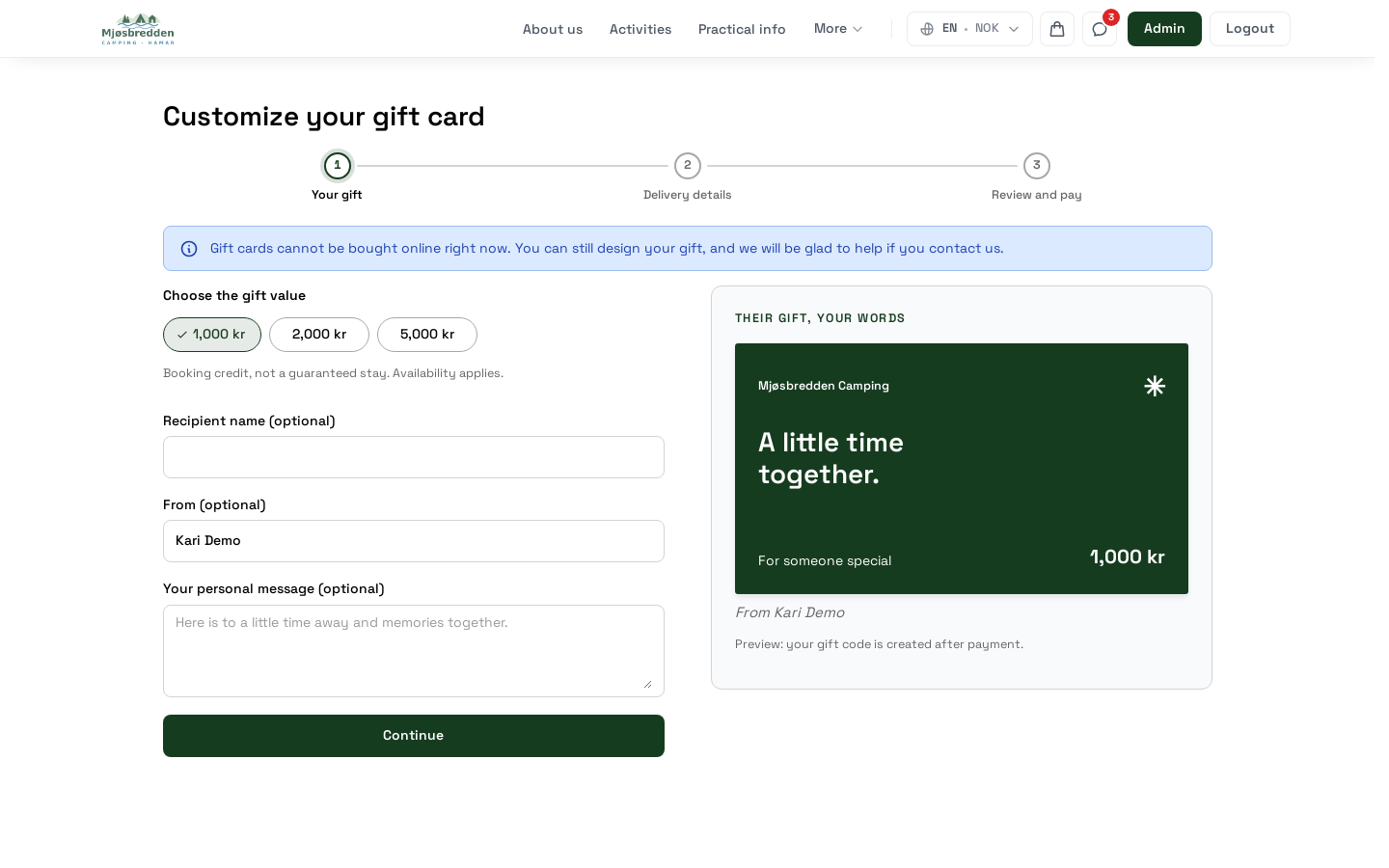
The gift card page has three steps: Your gift, Delivery details and Review and pay. The guest sees a preview of the card the whole way.
-
Your gift: the guest chooses an amount and can add the recipient's name, who the gift is from and a personal message.
-
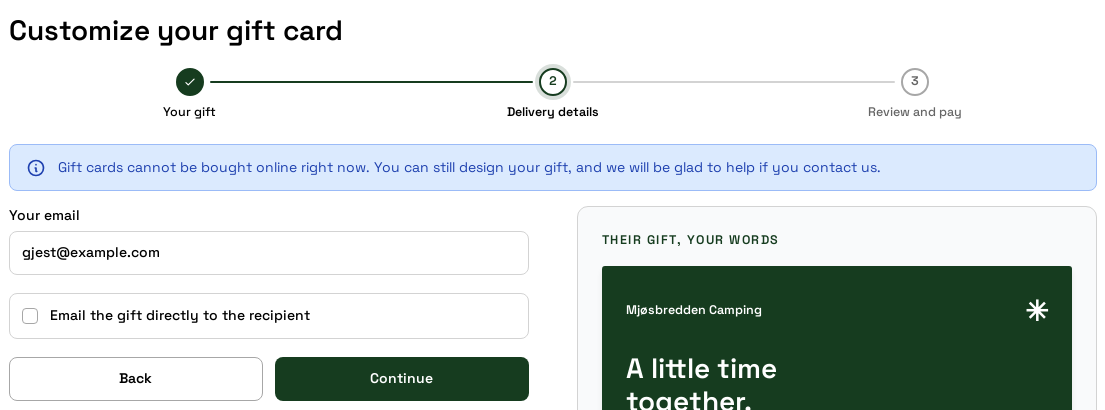
Delivery details: the guest enters their own email address and can choose to email the gift directly to the recipient.
-
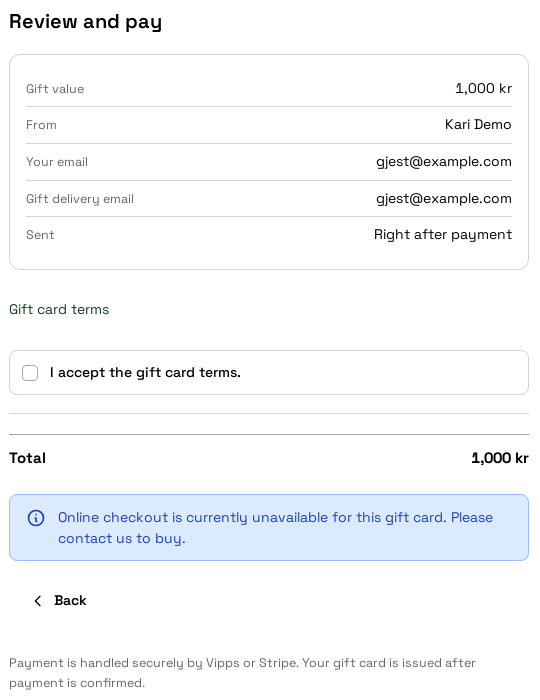
Review and pay: the guest sees a summary, accepts the terms and pays. The gift card is issued once payment is confirmed.
Good to know
- If any of the requirements above is missing, guests can still design the gift on the page, but they are told that gift cards cannot be bought online right now. This happens even when Sell gift cards online is ticked, so check payment, email, amounts, validity and terms if you see this message. While gift cards cannot be bought, the gift card link at the bottom of your website is hidden too.
- A gift card sold online gives the guest an amount to spend on a later booking. The card can only be used on dates that are available.