Send a payment link to the guest
The video was checked against the admin on 5 November 2026.
If the guest has not paid, you can send an email with a link to the invoice. The guest can pay there directly.
How to do it
-
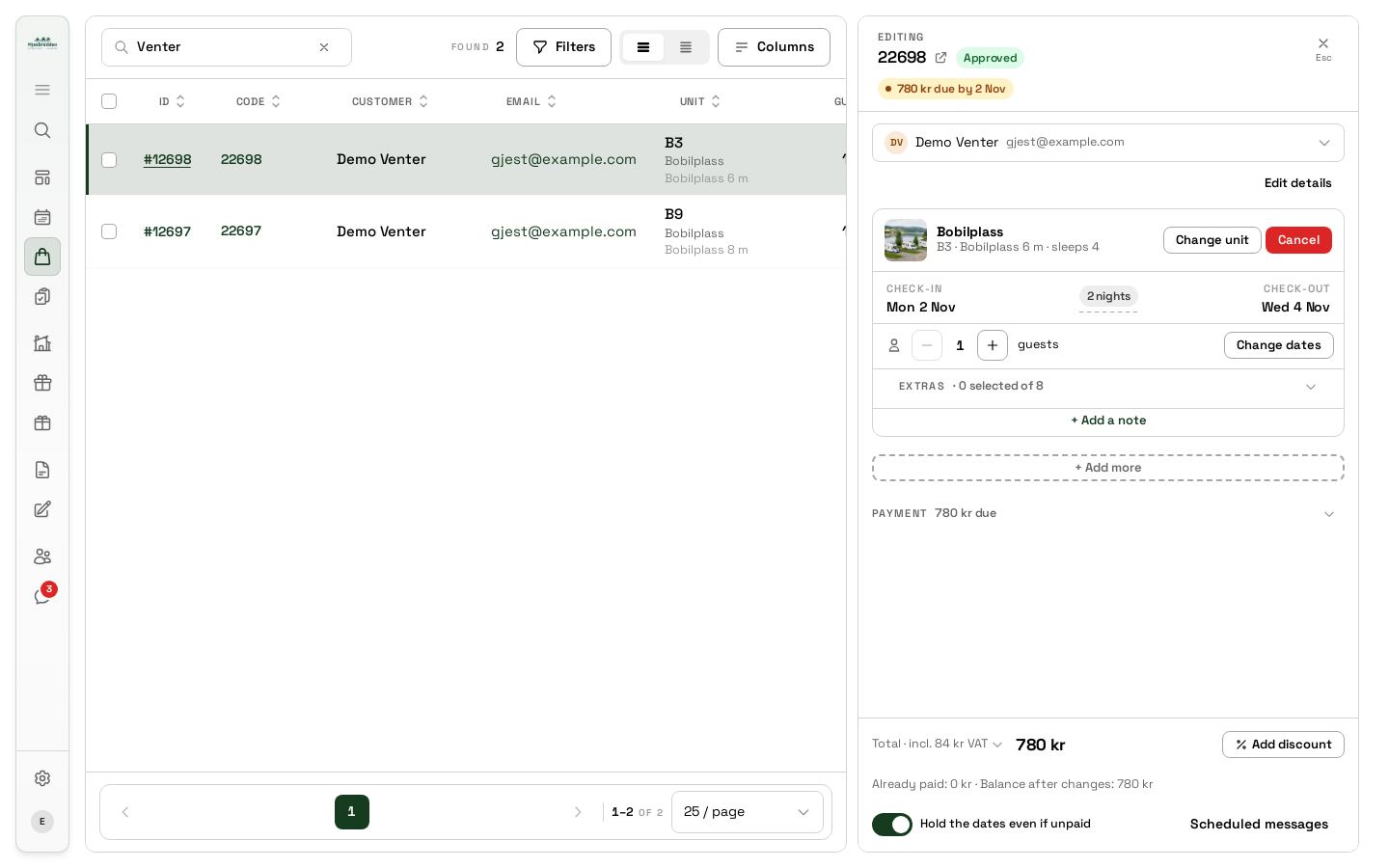
Find the booking under Orders and tap it.
-
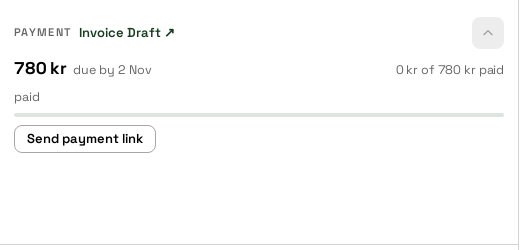
Tap the arrow at the far right of the Payment line to open the payment section. Here you see how much is paid and how much is left.
-
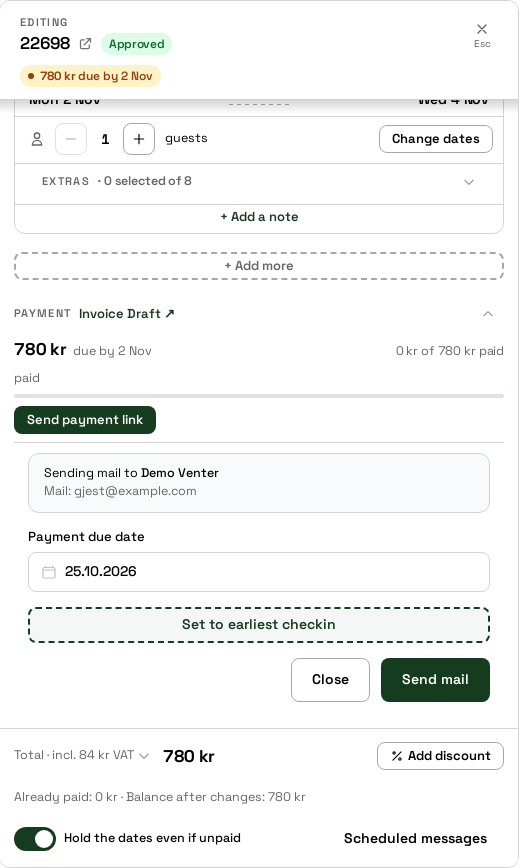
Tap Send payment link. Check that the guest's name and email address are correct.
-
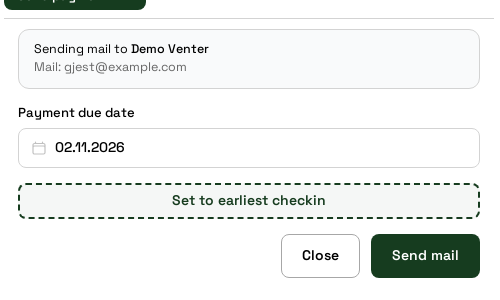
Choose the Payment due date. It is set to today's date. Tap Set to earliest checkin if the guest can pay up to arrival.
-
Tap Send mail.
What the guest sees
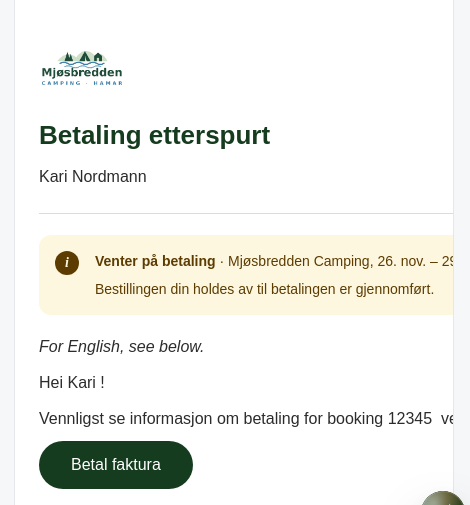
The guest gets an email saying the booking is waiting for payment, with a Betal faktura (Pay invoice) button. In the demo the email is in Norwegian, with an English part below. You find the email under Settings › Messages, on the Emails tab, in the group Payments and refunds. It is called Payment link.
Good to know
- The email goes to the guest named on the invoice.
- You can also send the payment link from the invoice page, in the menu with three dots at the top.
- Send payment link only shows when there is something left to pay.
- In Calendar you can see if the link has been sent. Hold the mouse over the booking, and it says "Payment link sent" or "No payment link sent yet".