Set up VAT rates
VAT categories decide which rate your products and invoices use. The easiest way is to import the Norwegian rates ready-made, and then add your own categories only where you need them.
Import the Norwegian rates
-
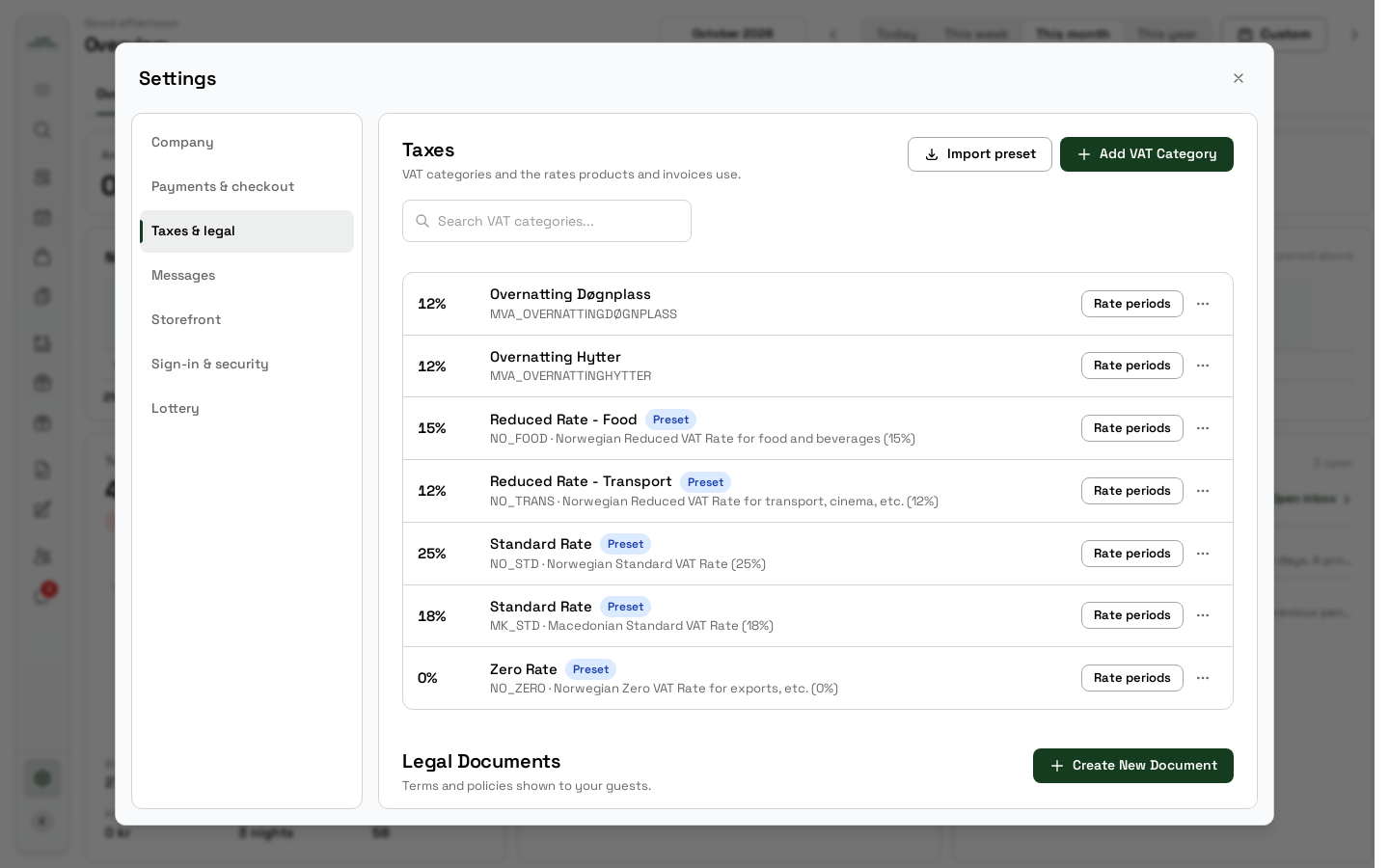
Tap Settings (the gear) at the bottom of the left-hand menu.

-
Choose Taxes & legal.
-
Tap Import preset.
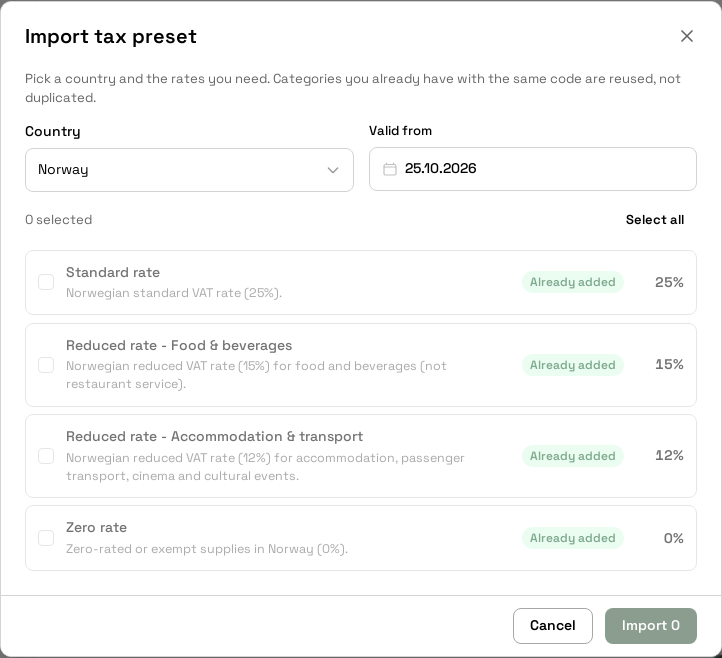
- Choose the country, check the date in Valid from, and tick the rates you need. Rates you already have are marked Already added and are not added again.
-
Tap Import.
Add your own category
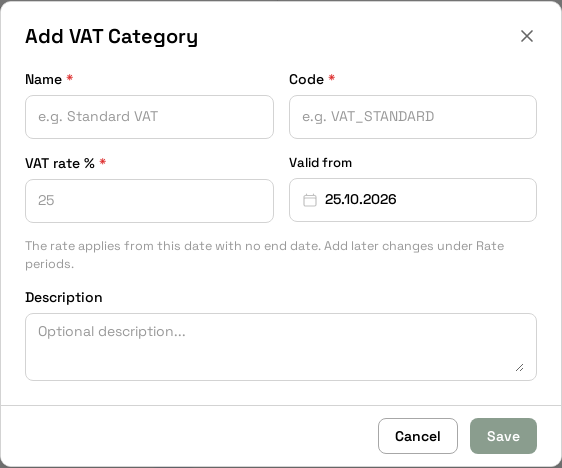
- Tap Add VAT Category.
- Fill in Name, Code (at least two characters, for example VAT_STANDARD), VAT rate % and Valid from. Description is optional.
-
Tap Save. The rate applies from the date you chose and has no end date.
Change a rate from a certain date
When a rate changes, you add a new rate period instead of changing the old one.
- Tap Rate periods on the category.
-
Tap Add rate period and fill in the new rate and the date it applies from.
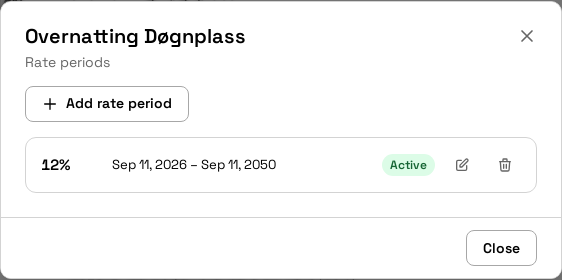
The list then shows the rate that applies now, with a line such as "Changes to 25% on …" for the next change.
Edit or delete a category
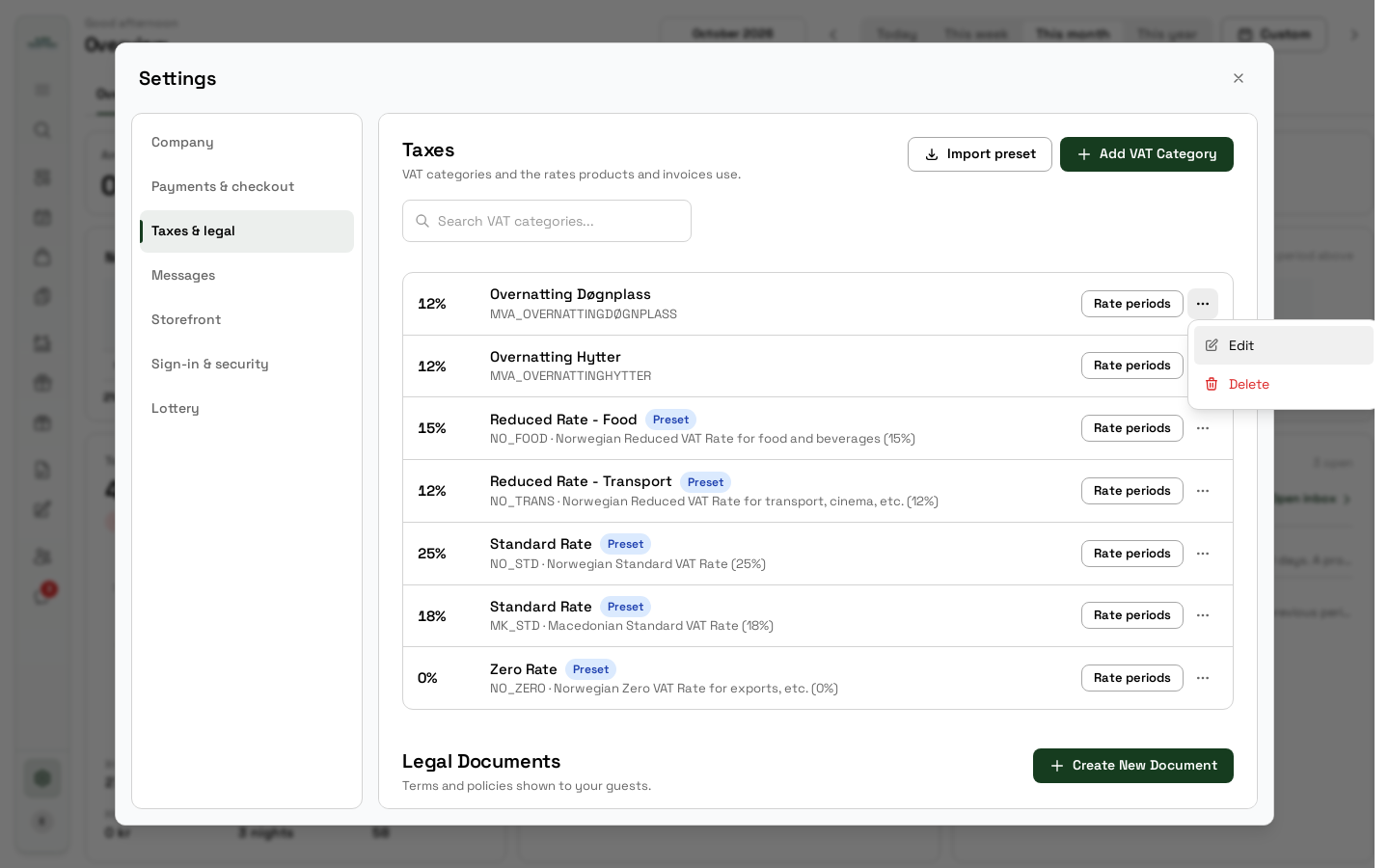
Tap … on the category and choose Edit or Delete.
Good to know
- A category without a valid rate is marked No active rate in the list.