Early booking, last-minute and long-booking rebates
The video was checked against the admin on 5 November 2026.
You can give an automatic rebate to guests who book a long time ahead, to those who book shortly before arrival, and to those who stay a long time. Rebates are set in the booking rules.
How to do it
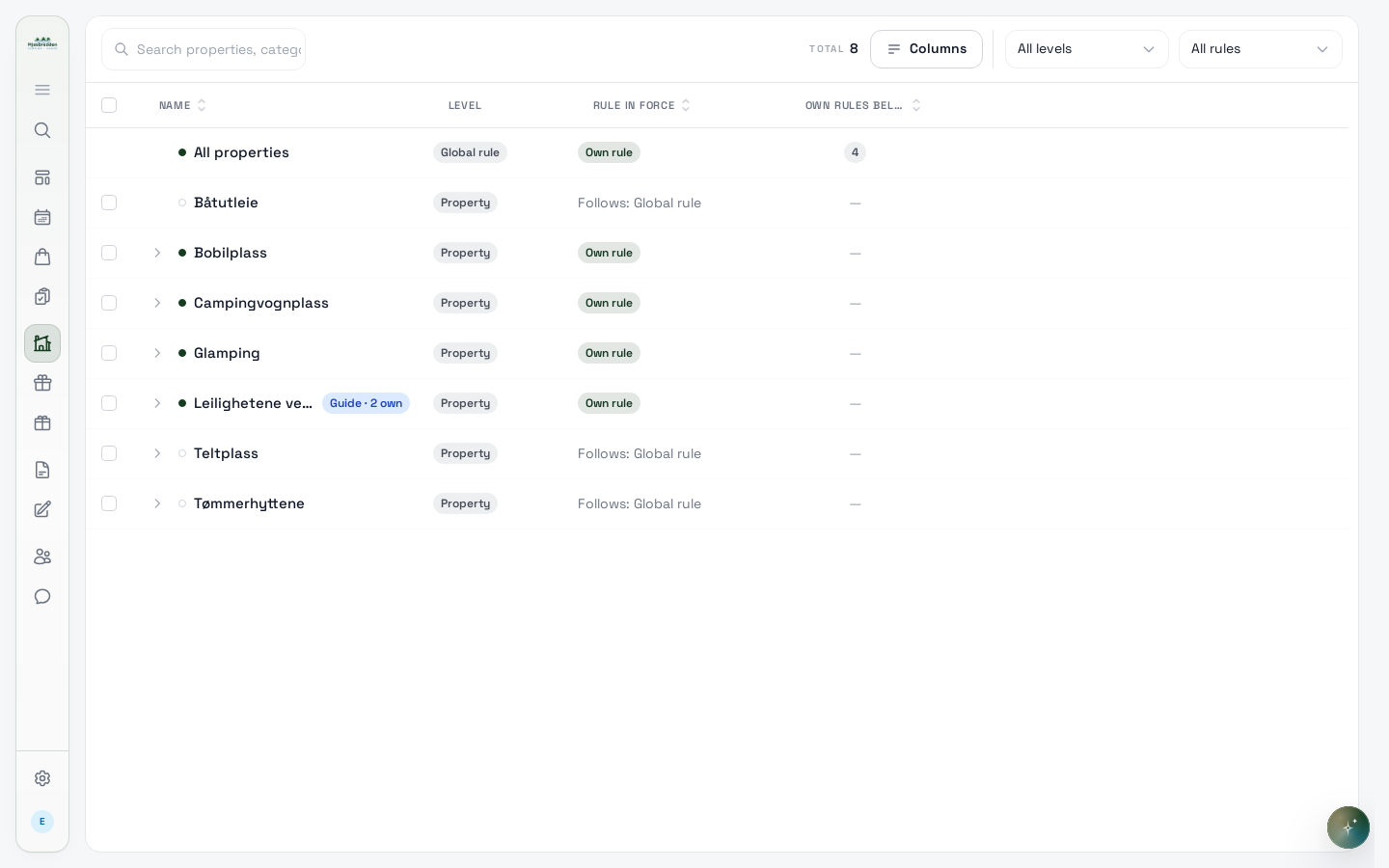
- Choose Products in the menu on the left, then Booking rules.
-
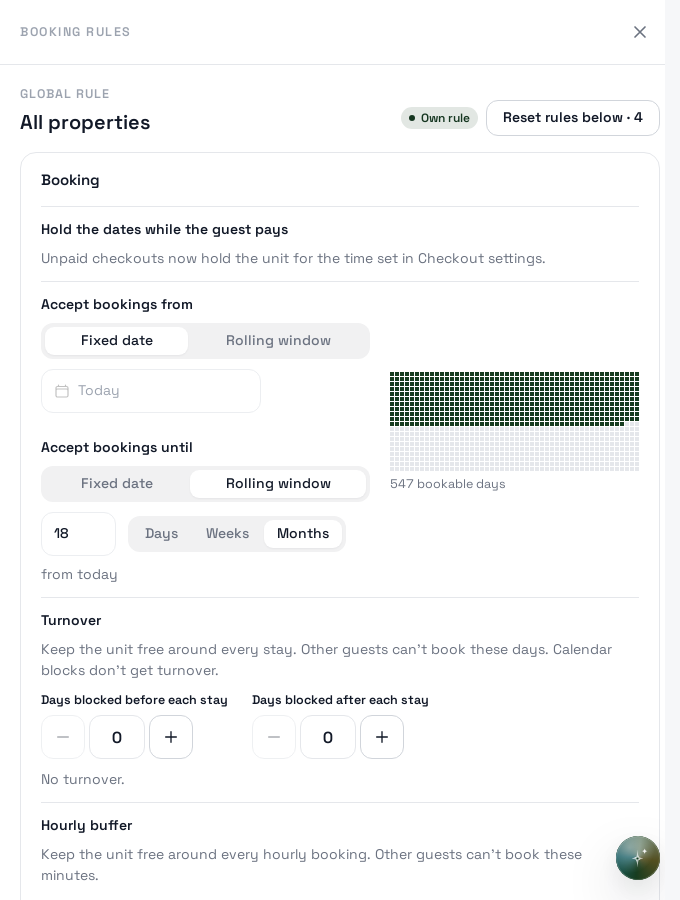
Click the level the rebate should apply to. All properties applies to the whole place. If you choose a product, the rebate only applies there.
-
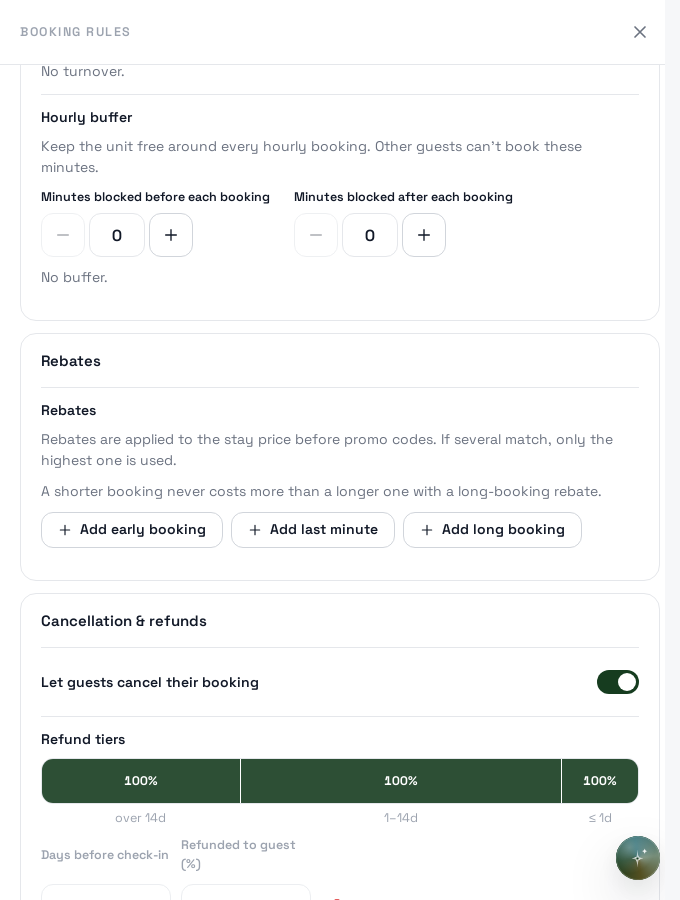
Go down to Rebates. There are three buttons, one for each kind of rebate: Add early booking, Add last minute and Add long booking.
-
Click the button for the rebate you want and fill in the fields. See below for what each kind means.
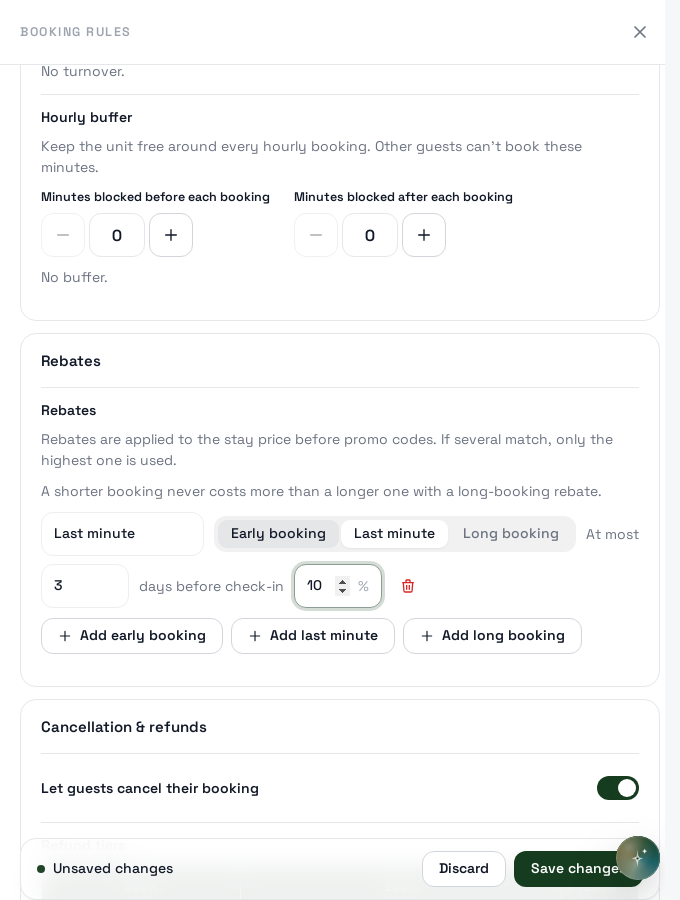
- Click Save changes at the bottom of the panel. To undo, click Discard.
Last minute
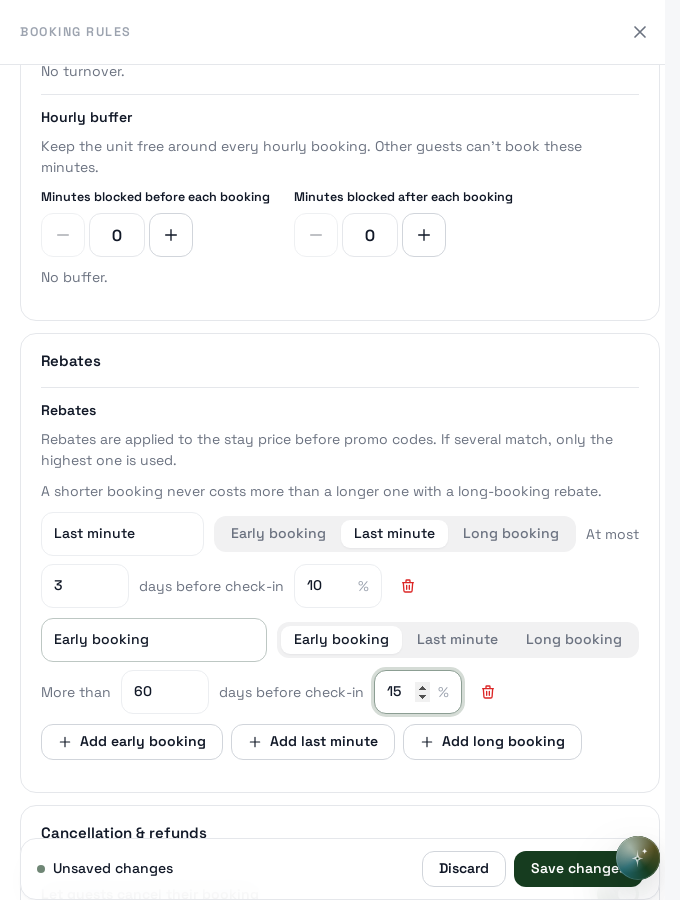
This rebate is for bookings made shortly before arrival. Give the rebate a name, for example "Last minute". Next to At most, enter how many days before check-in it applies, for example 3. The rebate then applies to bookings made 3 days or less before arrival. Enter the rebate as a percentage.
Early booking
This one rewards guests who book a long time ahead. Next to More than, enter the number of days before check-in, for example 60, then the rebate as a percentage.
Long booking
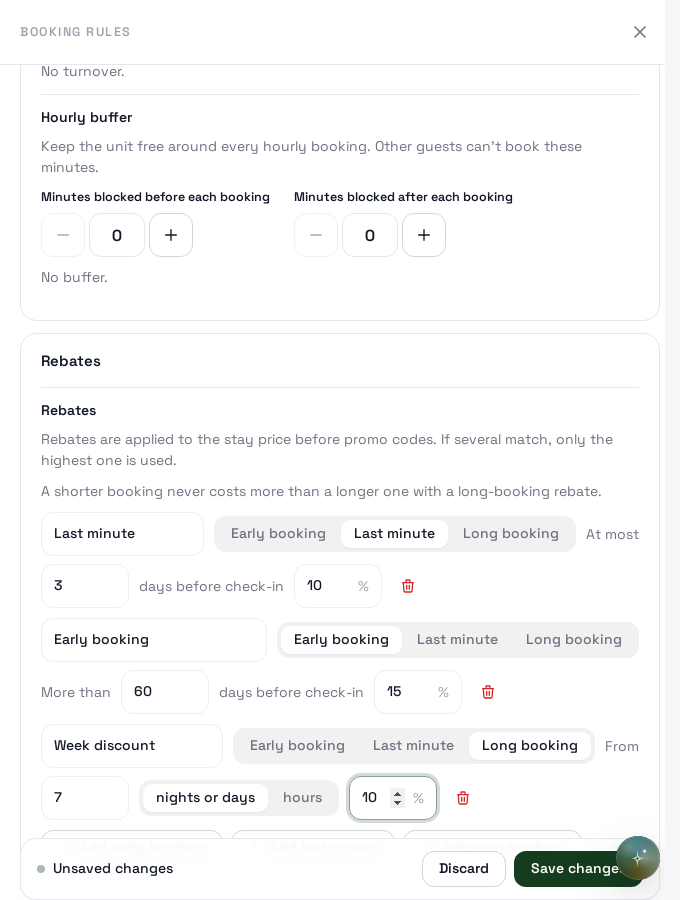
This one gives a lower price to guests who stay a long time. Next to From, enter the shortest booking the rebate applies to, for example 7, and choose whether it counts in nights or days or in hours. Hours are for units rented by the hour. Then enter the rebate as a percentage.
If the rule belongs to a unit type with a price, you also get a field in kroner next to the percentage. It shows the price of the whole length at the base price as grey hint text, and you can enter what the length should cost instead of using a percentage.
Good to know
- You can change the kind of a rebate you already added with the Early booking, Last minute and Long booking choice on its row.
- The rebate is taken off the stay price before any promo codes.
- If several rebates match the same booking, only the highest is used.
- A shorter booking never costs more than a longer one with a long-booking rebate.
- If the level has no rule of its own, first click Give this level its own rule.